드라이브 마운트
from google.colab import drive
drive.mount('/content/drive')
프로젝트 폴더 이동
%cd /content/drive/MyDrive/"Colab Notebooks"/myprojectYolov6 깃허브 저장소 다운로드
!git clone https://github.com/meituan/YOLOv6
%cd YOLOv6
의존 패키지 설치
!pip install -r requirements.txt가중치 모델 다운로드
import torch
torch.hub.download_url_to_file('https://github.com/meituan/YOLOv6/releases/download/0.4.0/yolov6s.pt', 'yolov6s.pt')
샘플 이미지 불러오기
from google.colab.patches import cv2_imshow, cv2
img = cv2.imread('/content/drive/MyDrive/Colab Notebooks/myproject/sample.jpg') #인터넷에서 다운받은 이미지
cv2_imshow(img)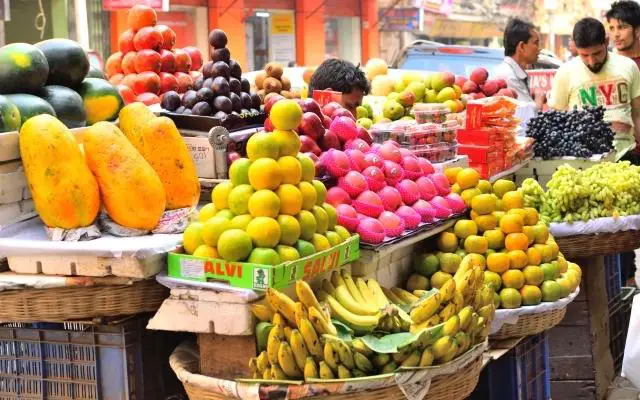
샘플 이미지에서 사물 인식
"""
infer.py : 인터페이스 스크립트.
--weights [가중치 모델]
--source [이미지 파일 경로]
"""

!python tools/infer.py --weights yolov6s.pt --source /content/drive/MyDrive/"Colab Notebooks"/myproject/sample.jpg
img = cv2.imread('runs/inference/exp/sample.jpg')
cv2_imshow(img)
참고
https://github.com/meituan/YOLOv6/blob/main/turtorial.ipynb
'AI' 카테고리의 다른 글
| [이미지전처리] 외곽선 검출 알고리즘 논문 리뷰 (0) | 2024.05.23 |
|---|---|
| Novelty 이상탐지 토튜리얼 (2) | 2024.04.24 |
| [colab] yolov6 커스텀 데이터 셋으로 훈련시키기 (2) | 2023.07.21 |
| [CNN] 개 고양이 분류 모델 만들기 (1) | 2023.07.17 |


